The customer is always right!
13 years ago


One of the problems faced by entrepreneurs in the fast paced business world today is selecting the proper technology foundation to secure their business transaction in open network communication. Having the proper "implementing technology" in place can make a difference between failure and incredible success.
To secure their business transaction, they need the third party certification for security purpose. Third parties who issue digital certificates are also known as certification authorities (CAs). A digital certificate contains the holder’s name, validity period, public key information, and a signed hash of the certificate data.

Besides that, the users will be able to make transaction on the internet without fear of having the personal data being stolen, information contaminated by third parties, and the transacting party denying any commercial commitment with the users by using the digital certificate.
MSC Trustgate.com 
MSC Trustgate.com Sdn. Bhd. is

DIGICERT

Internet is a public network that connecting millions of computers throughout the world. Internet users can share information in a variety of forms through telephone wires and satellite links. Sometimes, we need is to fill in some personal information when we surf the internet or register to become a member. In this case, hackers have the ability to intercept and use our personal information, such as credit card numbers and expiry dates to falsely do the transactions. Therefore, actions must be taken in order to increase the internet security and decrease the data stolen probability.
1. Install and update antivirus of the computer
The first step we must do is installed antivirus software and keep it updated daily as new viruses may occur anytime. Updated version of antivirus able to combat a wide range of threats, including worms, phishing attacks, rootkits, trojan horses and other malware and thus safeguard our personal and financial data.
2. Password protection
After using any of the  remember to log out according proper procedure before leaving the
3. Avoid financial transactions and accessing financial information through public computer
Prevent form logging on to check your bank balance and online transaction such as e-banking when working from a coffee shop that offers wireless access. This is because the process required financial data and those data can be easily tracked in an unsecured computer. Although the systems are convenient but we do not know how powerful their firewalls are.
4. Practice safe ATM use
Pay attention when using an ATM and keep your eyes peeled for anyone who seems a little too interested in your transactions. Use your free hand to shield the keypad when entering your PIN. When your transaction is complete, keep your card and any cash immediately. Do the counting later in the safety of your locked car or home. If you see anyone suspicious around you, please do the transaction later.
5. Match your receipts to your billing statement each month
This action is to make sure you have not been billed for fraudulent purchases. If you spot any suspicious transactions such as charges you don’t recognize, or duplicate charges. Therefore you must contact your card issuer immediately.
6. Don't reply to requests for personal information
Never reply to, or click a link in an unsolicited e-mail. If you received any e-mails from banks regarding changing passwords or personal information, you must contact that particular bank to ask for confirmations. Nor should you give out personal information over the phone if there are any strangers calling you.
Online security threats are one of the biggest challenges on the Internet nowadays. Security threats seem to be rising almost as quickly as e-shopping revenues. From phishing to pharming to hacking and cracking, electronic fraudsters are stealing identities from customers and credit card processing databases, and all parties are more than a little concerned.
The two types of attacks are non-technical and technical. Non-technical attack is an attack that uses chicanery to trick people into revealing sensitive information or performing actions that compromise the security of network. In contrast, technical attack is using software and systems knowledge to perpetrate an attack.
The following are some major threats of online security:
Phishing attack is relying on social engineering where it is a type of non-technical attack. It uses some ruse to trick users into revealing information or performing an action that compromises a computer or network in order to gain unauthorized access to systems or information.
Accidental actions contain the problems arising from lack of basic knowledge about online security concepts and it does contribute to a large number of computer security risks. Insecure information transfer may leads to the security products and information leakage. Poor password choices,
accidental or erroneous business transactions, accidental disclosure, and erroneous or outdated software are examples for accidental actions.
Malicious attacks refer to the attacks that specifically aim to harm by malicious code, also known as premeditated. It includes the computer viruses, denial of service attack and distributed denial of service attack.
Virus is a piece of software code that inserts itself into a host, including the operations systems. The virus is activated once its host program be executed and attempts to copy itself into
more program. Viruses may simply infect and spread; others do substantial damage such as deleting files or corrupting the hard drive. For example, "I LOVE YOU" virus caused over $100 million in
Worm is a self-replicating software program, consuming the resources of its host in order to maintain its capable of propagating a complete working version of itself onto another machine. It uses networks to spread itself or spread through instant messages; it does infect a computer or handheld device without human intervention. Macro virus or macro worm is executed when the application object that contains the macro is opened or a particular procedure is executed. Examples of worms include
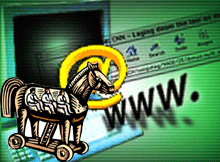
A program that appears to have useful function but contains a hidden function which presents a security risk is known as Trojan horse. Trojan horse is unlike a worm, it requires user cooperation. Once on your machine, Trojans then function as independent programs that operate secretly. Commonly, Trojans steal passwords or perform "denial of service" attacks. Examples of Trojans include Backdoor and Nuker.
DOS refers to an attack on a web site in which an attacker uses specialized software to send a flood of data packets to the targeted computer with the aim of overloading its resources.
Online threats also include the identity theft and data theft. Personal identity theft on the Internet is the newest form. In the online world, electronic commerce information can be intercepted as a result of vulnerabilities in computer security. Thieves can then take this information and do with it what they will. Data theft is the term used to describe not only the theft of information but also unauthorized perusal or manipulation of private data.
There is variety of solutions to protect our online data such as password protection, trusted anti-spyware or anti-virus program and the list goes on. If you know how you become vulnerable, you will be able to protect yourself better and get surf net without constantly worrying about online the security threats.
Related Articles:
What is Phishing?
 This is done by using a fake caller ID data to make it appear that the call came from a trusted organization. The operator of the phone who answered your call will ask you to give your account numbers and passwords. There are many other phishing techniques. Some have developed counter-phishing techniques already but scammers continue to invent still newer tricks. Always be alert and never trust to give your most private details easily.

 Thanks for stopping by and hope you will come back again... feel free to drop us comment ya ^_^
Template by: